
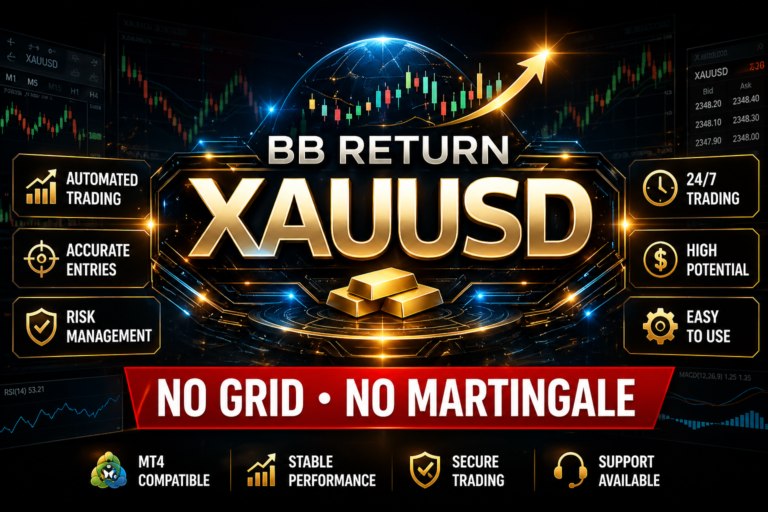
The growing interest in automated trading tools has brought renewed attention to “BB Return EA” for the MetaTrader 4 platform. Traders searching for downloadable Expert Advisors are evaluating such tools for efficiency and consistency, but questions around reliability, setup, and risk remain central to decision-making.
Quick Overview of Key Points
- BB Return EA is an automated trading script designed for MT4
- Typically based on Bollinger Bands or mean-reversion logic
- Requires manual installation and configuration within MT4
- Performance depends heavily on market conditions and settings
- Risk management remains the user’s responsibility
Understanding the Core Functionality
BB Return EA is generally categorized as a mean-reversion trading system. It aims to identify price deviations from statistical averages and execute trades expecting a return to the mean.
Most versions rely on indicators such as Bollinger Bands, which measure volatility and price range. When price moves outside expected limits, the EA may trigger buy or sell orders automatically.
Installation Process and Platform Integration
To use BB Return EA, traders must install it within MetaTrader 4. The process typically involves placing the EA file into the “Experts” folder and enabling automated trading.





Standard Setup Flow
| Step | Action Required |
|---|---|
| 1 | Download EA file (.ex4 or .mq4) |
| 2 | Open MetaTrader 4 |
| 3 | Navigate to “File” → “Open Data Folder” |
| 4 | Place file in “MQL4/Experts” |
| 5 | Restart MT4 platform |
| 6 | Attach EA to chart and enable AutoTrading |
Proper configuration includes setting lot size, stop-loss parameters, and timeframe preferences.
Strategy Logic and Market Behavior Dependence
The effectiveness of BB Return EA depends on market conditions. Mean-reversion systems tend to perform better in ranging markets where price oscillates within a defined band.
However, in trending markets, such strategies can face sustained losses if price continues moving in one direction without reverting.
Risk Factors and Limitations
Automated systems do not eliminate trading risk. BB Return EA users must account for:
- Drawdowns during strong trends
- Over-leveraging due to aggressive lot settings
- Lack of adaptability to sudden news events
- Dependence on historical backtesting accuracy
Without proper risk controls, automated strategies can amplify losses.
Security and Download Considerations
Downloading Expert Advisors from unofficial sources introduces potential risks. Files may contain malicious code or be modified versions with unreliable performance.
Traders typically verify:
- Source credibility
- File integrity
- User reviews and testing reports
Using demo accounts before live deployment is a common precaution.
Compatibility and System Requirements
BB Return EA is specifically designed for MetaTrader 4 and may not function on newer platforms like MT5 without modification.
Key requirements include:
- Stable internet connection
- VPS (Virtual Private Server) for continuous operation
- Broker compatibility with EA trading
Performance Evaluation Metrics
Before using BB Return EA, traders often analyze backtest and forward test results.
Important metrics include:
- Win rate
- Maximum drawdown
- Risk-to-reward ratio
- Profit factor
These indicators help assess whether the EA aligns with trading objectives.
Frequently Asked Questions
1. What is BB Return EA in MT4?
It is an automated trading tool designed to execute trades based on mean-reversion strategies within MetaTrader 4.
2. Is BB Return EA free to download?
Availability varies; some versions are free, while others are distributed commercially.
3. Can BB Return EA guarantee profits?
No automated trading system can guarantee consistent profits due to market unpredictability.
4. Does it work in all market conditions?
It performs better in ranging markets and may struggle during strong trends.
5. Is it safe to use downloaded EAs?
Safety depends on the source; unverified downloads may carry security risks.
6. Can beginners use BB Return EA?
Yes, but understanding basic trading and risk management is necessary.
7. Does it require constant monitoring?
While automated, periodic monitoring is recommended to manage risk and performance.
8. Is BB Return EA compatible with MT5?
Most versions are built for MT4 and may require modification for MT5.
Closing Overview
BB Return EA represents a segment of automated trading tools focused on mean-reversion strategies within MetaTrader 4. Its utility depends on correct setup, market conditions, and disciplined risk management. While it offers automation advantages, performance variability and external risks remain key considerations for users evaluating its adoption.

Vendor website: View here
BB Return mt4 Download link inside
⬇️⬇️⬇️⬇️⬇️



















TOP 28
FOREX BROKERS
Choose your broker, sign up through an eligible cashback link, trade as usual, and receive rebates according to the offer terms.
80%
Choose from these 28 brokers
 XM
 Elev8
 Exness
 JustMarkets
 HFM
 TMGM
 Valetax
 Headway
 Markets4you
 RoboForex
 Vantage Markets
 IC (IC Markets)
 FxPro
 Tickmill
 FP Markets
 Weltrade
 Axi
 Ultima Markets
 TitanFX
 Harmovest Capital
 FP Trading
 VT Markets
 MTrading
 FXTM
 FIBO Group
 Windsor Brokers
 GO Markets
 FXPrimus
How to get cashback
Select one of the brokers above and check its available cashback offer.
Open an account using the eligible cashback or partner link.
Trade in an eligible account and follow the offer's rules.
Get eligible rebates based on the program's payout method and schedule.
*“Up to 80%” is a maximum promotional claim, not a guaranteed cashback rate. Actual rebates, supported countries, account types, trade eligibility and payout terms vary. Broker cards use the ForexInWorld cashback link; check the offer terms and account eligibility before signing up. Forex/CFD trading involves substantial risk.