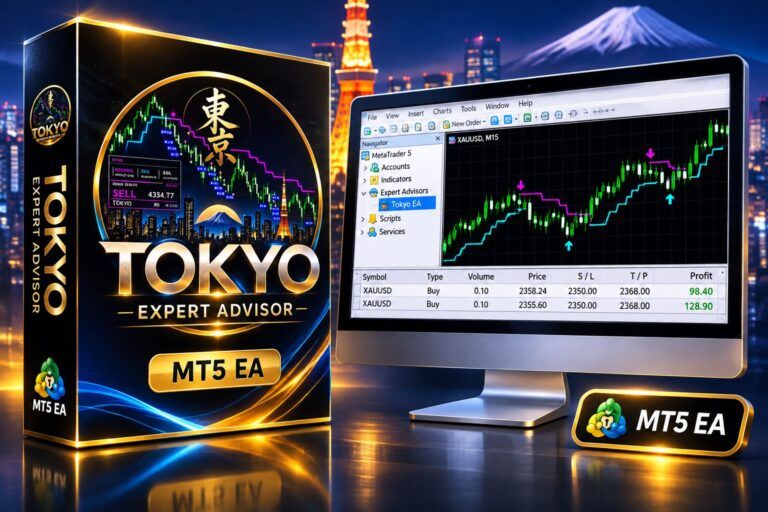
Automated trading has become an important part of modern forex trading, particularly for traders looking to execute predefined strategies without manually monitoring every market movement. Tokyo EA MT5 is an Expert Advisor listed on the MQL5 Market that uses trend-following signals to identify potential trading opportunities and manage positions automatically.
Developed by Vasiliy Strukov, Tokyo EA is designed to work with MetaTrader 5. According to its official product description, the system uses signals generated by the Tokyo Indicator and opens trades at the beginning of the following candle. Its approach also incorporates grid and martingale trading techniques, making it important for prospective users to understand its order-management logic before running it on a live account.
What Is Tokyo EA MT5?
Tokyo EA MT5 is an automated trading robot designed to identify changes in market direction and execute corresponding buy or sell trades. Rather than requiring traders to enter every position manually, the Expert Advisor processes signals and handles trade execution according to its configured parameters.
The developer describes the system as suitable for different currency pairs and chart timeframes, while particularly highlighting XAUUSD (Gold) on the 15-minute chart as a preferred trading environment.





The EA follows a signal-based approach. When the associated Tokyo Indicator generates a bullish or bearish arrow, the robot is designed to enter a position at the opening of the next candle.
This approach connects technical signal generation with automated order execution, although actual trading outcomes depend on market conditions and broker execution.
How Does Tokyo EA Work?
The underlying trading approach combines trend identification with automated position management.
Trend-following entry methodology
The EA looks for changes in market direction using signals from the Tokyo Indicator. A buy or sell opportunity is processed according to the direction of the generated signal.
The next-candle entry mechanism provides a defined execution sequence rather than requiring the trader to react manually when an arrow appears.
Grid and martingale trading approach
One of the most important aspects of Tokyo EA is its grid/martingale strategy.
Grid-based systems can open additional positions as the market moves, while martingale-style position sizing can increase exposure through subsequent orders. Although these techniques can help manage a group of positions under certain market conditions, they can also increase account exposure substantially when price continues moving against the trading basket.
Traders should understand this mechanism before choosing their starting lot size or allowing the robot to operate continuously.
Tokyo EA MT5 Features and Trading Controls
The published MQL5 description provides several configurable controls for managing automated trading activity.
Order management and risk parameters
The EA includes options for controlling trade direction, position sizing, order limits and basket management. Traders can also configure different execution conditions rather than relying entirely on one fixed arrangement.
Some settings are particularly relevant when assessing how the robot behaves during prolonged market movements.
| Parameter category | Purpose |
|---|---|
| Trading direction | Enable or disable buy and sell operations |
| Position sizing | Configure starting lots and automatic lot calculation |
| Order management | Set maximum orders and additional order spacing |
| Profit management | Configure individual trade targets and trailing mechanisms |
| Trading schedule | Define permitted operating hours |
| Execution conditions | Establish a maximum spread restriction |
These controls provide flexibility, but their availability does not establish that a particular configuration is suitable for every account.
Why Is Gold Trading Relevant to Tokyo EA?
Gold is one of the instruments highlighted in the developer’s product description. XAUUSD can experience substantial price movements during periods of changing economic expectations, US dollar strength, interest-rate developments and geopolitical uncertainty.
The M15 timeframe offers a shorter-term perspective on these movements. However, gold can also produce sharp reversals and temporary price spikes, which can create difficult conditions for strategies that accumulate multiple positions.
Traders interested in using Tokyo EA on gold should examine its behaviour during both trending and sideways market conditions.
A strategy that performs favourably during a sustained directional movement may behave very differently when the market repeatedly reverses.
“Automated execution does not remove the underlying risk of a trading strategy. With grid and martingale mechanisms involved, understanding cumulative exposure is just as important as evaluating the quality of the original entry signal.”
Installation and Setup Considerations
Tokyo EA MT5 is distributed through the MQL5 Market. Users should obtain the product through its original listing rather than relying on unofficial copies or third-party sellers.
Before running the robot, traders should:
- Install MetaTrader 5 and sign in using their trading account.
- Access the Tokyo EA product through the MQL5 Market.
- Follow the platform’s purchase or demo-testing process.
- Install the Expert Advisor through the appropriate MT5 Market interface.
- Review the available settings and developer documentation.
- Test the selected configuration before considering live deployment.
The developer also provides a separate settings and documentation resource through the MQL5 website. Reading the available instructions can help users understand the configuration options and associated trading controls.
Official resources:
Important Risks Before Using Tokyo EA
The grid and martingale components deserve particular attention. If the market continues moving against a collection of open positions, the combined exposure can increase and place considerable pressure on available margin.
Other factors can influence actual results:
- Spreads may widen during volatile market conditions.
- Slippage can change the execution price.
- Broker contract specifications can affect position calculations.
- Sudden economic announcements can produce rapid price movements.
- Insufficient free margin can prevent additional orders from being opened.
A maximum order limit and appropriate position-sizing settings should be considered carefully. Traders should never assume that an automated trading robot will independently prevent substantial losses.
Frequently Asked Questions
1. Can Tokyo EA MT5 be evaluated using historical market data?
Yes, traders can use the MetaTrader 5 Strategy Tester to investigate an Expert Advisor’s historical behaviour. Testing should use suitable historical data, realistic trading costs and appropriate execution modelling. A favourable historical result does not establish future profitability.
2. Why can grid-based strategies behave differently across brokers?
Brokers can differ in spread conditions, execution speed, margin requirements, contract specifications and order restrictions. These differences can influence how a strategy manages multiple positions and its overall trading costs.
3. What happens if the market continues moving against the open trading positions?
Additional exposure may accumulate depending on the configured grid and position-sizing rules. If the available margin becomes insufficient, the broker may restrict further trading or close positions through a margin-related liquidation process.
4. How should traders evaluate the EA’s performance during different market conditions?
Testing should include trending, ranging and highly volatile periods. Examine the equity curve, maximum drawdown, margin usage, number of simultaneous positions and recovery behaviour rather than relying exclusively on the final account balance.
5. Why is a demo account useful before using an automated trading strategy?
A demo environment allows traders to observe order execution, understand the available parameters and assess how the robot behaves under different market conditions without exposing live trading capital. It also provides an opportunity to identify configuration problems before deployment.
For Tokyo EA MT5 availability and download instructions, visit its official MQL5 listing and follow the available access process. If you need help with the download or installation process, you can also reach the ForexInWorld support team through Telegram.



















TOP 28
FOREX BROKERS
Choose your broker, sign up through an eligible cashback link, trade as usual, and receive rebates according to the offer terms.
80%
Choose from these 28 brokers
 XM
 Elev8
 Exness
 JustMarkets
 HFM
 TMGM
 Valetax
 Headway
 Markets4you
 RoboForex
 Vantage Markets
 IC (IC Markets)
 FxPro
 Tickmill
 FP Markets
 Weltrade
 Axi
 Ultima Markets
 TitanFX
 Harmovest Capital
 FP Trading
 VT Markets
 MTrading
 FXTM
 FIBO Group
 Windsor Brokers
 GO Markets
 FXPrimus
How to get cashback
Select one of the brokers above and check its available cashback offer.
Open an account using the eligible cashback or partner link.
Trade in an eligible account and follow the offer's rules.
Get eligible rebates based on the program's payout method and schedule.
*“Up to 80%” is a maximum promotional claim, not a guaranteed cashback rate. Actual rebates, supported countries, account types, trade eligibility and payout terms vary. Broker cards use the ForexInWorld cashback link; check the offer terms and account eligibility before signing up. Forex/CFD trading involves substantial risk.