Gold trading presents a particular challenge for automated systems. XAUUSD can move sharply during economic announcements, major trading sessions and periods of changing market liquidity. For traders using MetaTrader 5, a breakout-based Expert Advisor offers one way to automate entries when price moves beyond previously identified market levels.
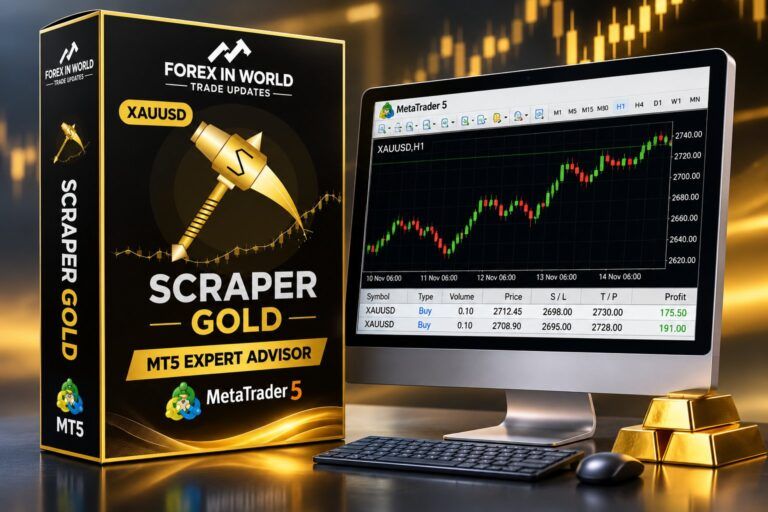
Scraper Gold MT5 EA is an automated gold-trading system listed on the MQL5 Market. According to its developer’s product description, the EA uses four separate breakout engines to identify potential trading opportunities in XAUUSD. Its latest listed version is 3.70, which introduces a Fixed Entry profile as the default configuration alongside additional trade-management and execution controls.
Rather than relying on grid recovery or martingale position sizing, the system is designed around pending breakout orders with predefined Stop Loss and Take Profit levels. This makes its trading methodology particularly relevant to traders interested in structured, automated gold trading.





What Is Scraper Gold MT5 EA?
Scraper Gold is a MetaTrader 5 Expert Advisor developed specifically for trading gold against the US dollar (XAUUSD). It is designed to monitor historical price structures, identify unbroken swing levels and prepare pending orders around those areas.
The underlying concept is breakout trading. Instead of immediately entering a position whenever an indicator produces a signal, the EA waits for price to reach and break a previously identified level.
According to the official Scraper Gold MQL5 product page, the robot scans recent H1 price history and evaluates swing highs and lows. Its order placement and management process is automated, allowing traders to operate the strategy without manually monitoring every potential breakout.
The developer describes the system as having four independent trading engines, each designed to identify a different type of market structure.
How the Four Breakout Engines Work
The EA combines four approaches within one trading application. Traders can operate all four engines together using the default configuration or select an individual engine.
Scrap A – Short-Term Structure Breakout
Scrap A examines relatively short-term price structures and searches for multiple breakout opportunities during trending market conditions. Its order-placement rules are designed to avoid unnecessarily adding weaker pending orders.
Scrap B – Session Breakout
Scrap B focuses on session-based opportunities and requires confirmation across two scans before trading a level. The developer specifies an operating window of 01:15–22:15 broker server time.
Scrap C – Medium Swing Breakout
Scrap C searches a broader range of historical H1 price data, examining up to 200 bars for potential swing levels. It also checks whether a level has already been broken before placing an order.
Scrap D – Major Structure Breakout
Scrap D concentrates on larger price structures and significant market levels. Its purpose is to identify broader breakout opportunities rather than focusing exclusively on shorter-term movements.
Version 3.70: Trading Profiles and Customisation
One of the significant aspects of version 3.70 is its support for four different engine profiles. These allow traders to adjust how individual engines approach entries and trade exits.
- Fixed Entry: The default profile, using predefined entry distances and wider exit parameters.
- Classic: Retains the original behaviour of earlier versions.
- Adaptive Entry: Adjusts entry distance according to recently closed trades.
- Wide Exit: Uses wider exit distances and a different trailing-stop approach.
Different profiles can be assigned to individual engines. For example, a trader can configure Scrap C with Wide Exit while keeping the other engines on Fixed Entry.
The system also provides controls for trading direction, position sizing and custom exit parameters. This gives users more flexibility when adapting the EA to different account sizes and trading preferences.
Important Technical and Risk-Management Considerations
Automated gold trading requires more than identifying breakout levels. Execution quality, available margin and sudden changes in spreads can significantly affect the outcome of a strategy.
The developer lists several execution and protection mechanisms in the current product description:
- Slippage compensation with adjustable operating levels.
- A virtual trailing-stop mechanism for certain broker stop-level restrictions.
- Broker-side checks involving trading volume, free margin and order conditions.
- An optional high-impact USD economic news filter.
- An optional daily equity-loss limit.
- Automatic removal of pending orders before the broker’s Friday session closes.
These mechanisms are intended to improve trade management, but they cannot eliminate market risk. A stop-loss order does not guarantee execution at the requested price during extreme market conditions.
Recommended Trading Environment
The developer’s suggested configuration provides a starting reference for prospective users. It specifies standard XAUUSD, an H1 chart, a RAW or ECN account and a VPS located close to the broker’s trading server.
These recommendations should be evaluated against the actual trading conditions offered by the selected broker. Gold contract specifications, minimum volume, margin requirements and server time can differ between brokers.
Scraper Gold MT5 EA: Key Product Information
| Product detail | Listed information |
|---|---|
| Product category | Expert Advisor |
| Trading platform | MetaTrader 5 |
| Primary instrument | XAUUSD |
| Current listed version | 3.70 |
| Developer’s methodology | Automated breakout trading |
| Trading architecture | Four independent engines |
| Position management | Fixed Lot, Risk Percent and Risk per Balance |
| Available documentation | PDF user manual listed in buyer kit |
Who Should Consider This Expert Advisor?
Scraper Gold may interest traders who specifically want an automated breakout approach for gold rather than a multi-currency trading robot.
Its separate engines and configurable profiles provide different ways to approach market structure. Traders who understand pending orders, breakout behaviour, position sizing and execution conditions may find these controls useful when evaluating the system.
However, automation does not remove the need for supervision. Gold can experience false breakouts, rapid reversals and periods when trading costs increase. A strategy that performs well under one broker’s conditions may behave differently with another broker.
The developer also lists five risk presets in the buyer kit: Low Risk, Default, Medium Risk, High Risk and Prop Firm. These are configuration options, not evidence that any particular account or prop firm will achieve a specific result.
“An automated breakout strategy should be judged not only by the trades it captures, but also by how it behaves when gold fails to sustain a move beyond a key level. Execution quality and position sizing remain central to that assessment.”
How to Evaluate Scraper Gold Before Live Trading
Before committing real capital, traders should examine the EA under conditions that resemble their intended trading environment.
A sensible evaluation process includes testing different volatility conditions, checking pending-order execution, examining the effect of spread changes and comparing results across suitable historical periods.
The MQL5 listing also provides links to two live trading signals associated with the product. These can offer additional information about observed trading activity. However, a signal’s historical performance should be assessed independently, including its drawdown, deposit history, exposure and consistency.
For a more meaningful assessment, use the demo facility where available and verify that the EA operates correctly with the intended broker’s symbol specifications. Avoid assuming that a recommended starting balance is sufficient for every account type or market condition.
Frequently Asked Questions
1. Can Scraper Gold be evaluated without immediately purchasing the full product?
The MQL5 listing displays a demo download count and provides a testing option for prospective buyers. Check the current Market demo availability and its permitted testing environment before making a purchase decision.
2. Why can two traders obtain different results using the same EA?
Different brokers can have different spreads, execution speeds, commissions, contract specifications and server conditions. Account settings and selected risk profiles also influence position sizing and trading outcomes.
3. What happens when gold breaks a level but quickly reverses?
A breakout can fail after triggering a pending order. The resulting position is managed according to its configured exit rules, but losses remain possible if price moves against the trade.
4. Why should traders examine execution slippage separately from backtest results?
Historical simulations may not fully reproduce real-world execution delays, liquidity conditions or price differences. Comparing expected entry prices with actual fills helps reveal costs that can materially affect a short-term strategy.
5. Is a VPS necessary for running an automated gold-trading strategy?
A VPS is not inherently required by MetaTrader 5, but continuous hosting can help keep the terminal operating when a personal computer is switched off or disconnected. Reliability, server proximity and network stability should be considered when selecting a hosting service.
Scraper Gold MT5 EA Download and Access
The official product listing is available through the MQL5 Market. Visit the page below to review the current price, product documentation, demo availability and purchasing conditions.
Official product page: https://www.mql5.com/en/market/product/197663
After accessing the article’s social locker below, follow the available instructions to find the download steps. If you experience difficulty, contact ForexInWorld support through Telegram.
Risk Disclaimer: Automated trading involves substantial financial risk. Test any Expert Advisor on a demo account before considering live use. Past performance does not guarantee future results.



















TOP 28
FOREX BROKERS
Choose your broker, sign up through an eligible cashback link, trade as usual, and receive rebates according to the offer terms.
80%
Choose from these 28 brokers
 XM
 Elev8
 Exness
 JustMarkets
 HFM
 TMGM
 Valetax
 Headway
 Markets4you
 RoboForex
 Vantage Markets
 IC (IC Markets)
 FxPro
 Tickmill
 FP Markets
 Weltrade
 Axi
 Ultima Markets
 TitanFX
 Harmovest Capital
 FP Trading
 VT Markets
 MTrading
 FXTM
 FIBO Group
 Windsor Brokers
 GO Markets
 FXPrimus
How to get cashback
Select one of the brokers above and check its available cashback offer.
Open an account using the eligible cashback or partner link.
Trade in an eligible account and follow the offer's rules.
Get eligible rebates based on the program's payout method and schedule.
*“Up to 80%” is a maximum promotional claim, not a guaranteed cashback rate. Actual rebates, supported countries, account types, trade eligibility and payout terms vary. Broker cards use the ForexInWorld cashback link; check the offer terms and account eligibility before signing up. Forex/CFD trading involves substantial risk.