The automated trading software known as Quantum King MT5 EA has been circulated across forex trading communities with a direct download link embedded in various distribution pages. The development highlights the continued demand for MetaTrader 5-compatible expert advisors and reflects the broader trend of algorithmic trading tools being shared through third-party platforms and private distribution channels.
Overview of Quantum King MT5 EA
Quantum King MT5 EA is an automated trading program designed for the MetaTrader 5 platform. Expert Advisors (EAs) are algorithm-based tools that execute trades according to pre-defined rules without manual intervention. Such systems typically rely on technical indicators, market conditions, and programmed risk parameters.
The EA format used in MetaTrader 5 is based on the MQL5 programming language, which enables automated order execution, trade management, and strategy testing through the built-in strategy tester.
Download Link Distribution and Access Channels
Reports indicate that the download link for Quantum King MT5 EA is often shared through:





- Forex forums
- Trading communities
- Affiliate websites
- Private Telegram groups
- Blog-based resource pages
In most cases, the file is provided in compressed format and requires manual installation into the MT5 Experts folder.
Common File Structure in EA Downloads
| File Type | Purpose | Platform Compatibility |
|---|---|---|
| .ex5 | Compiled EA file | MetaTrader 5 |
| .set | Preset configuration file | Strategy optimization |
| Readme.txt | Installation instructions | General use |
| DLL (optional) | External library support | Depends on EA design |
Installation Framework on MetaTrader 5
The installation process for MT5 Expert Advisors follows a standardized technical structure. Once downloaded, the EA file is placed inside the Experts directory within the MetaTrader 5 data folder. After restarting the platform, the EA becomes visible in the Navigator panel and can be attached to supported trading charts.
MetaTrader 5 supports automated trading through built-in algorithmic trading permissions, allowing EAs to operate based on coded logic under platform execution rules.
Functional Architecture of the EA
Most MT5 expert advisors, including Quantum King MT5 EA, are structured around the following automated components:
Algorithmic Signal Generation
The EA analyzes market data such as price action, indicators, and trend behavior to generate trade entries and exits.
Trade Execution Engine
Automated order placement, stop-loss setting, and take-profit configuration are executed without manual input once the EA is active.
Risk Parameter Configuration
Preset files often define lot size, risk percentage, and trade frequency parameters embedded within the EA settings.
Backtesting Compatibility
MetaTrader 5 allows historical backtesting of EAs using tick data and modeling methods to simulate past performance conditions.
Market Context: Growth of MT5 Automated Trading Tools
The circulation of downloadable EAs aligns with the increasing adoption of automated trading in retail forex markets. MetaTrader 5 has expanded its ecosystem by supporting multi-asset trading, faster execution speeds, and enhanced testing environments, contributing to the proliferation of EA-based trading systems.
According to platform usage trends, automated trading tools have gained traction due to:
- Continuous market monitoring capability
- Reduced manual execution delays
- Strategy automation across multiple pairs
- Integration with VPS environments for 24/7 operation
Security and File Verification Considerations
Downloaded EA files are executable scripts within the trading platform environment. As a result, distribution through unofficial sources has raised ongoing discussions about file authenticity and code transparency.
Key technical aspects associated with EA downloads include:
| Security Aspect | Description |
|---|---|
| Source Verification | Identifying original developer distribution |
| File Integrity | Ensuring the file is not modified or corrupted |
| Platform Permissions | Enabling or disabling automated trading access |
| Code Transparency | Availability of source code vs compiled file |
Compiled .ex5 files do not provide direct access to source code, which limits the ability to review internal trading logic.
Compatibility with Trading Instruments
Quantum King MT5 EA is generally reported to be used on major forex pairs and gold (XAUUSD), depending on its preset configuration. Compatibility typically depends on:
- Broker execution conditions
- Spread environment
- Symbol availability on MT5
- Account type (standard or ECN)
Execution behavior may vary based on broker server settings and liquidity conditions within the MetaTrader ecosystem.
Performance Testing and Strategy Environment
MetaTrader 5 includes a built-in Strategy Tester that supports multi-threaded backtesting and optimization. This allows automated systems like Quantum King MT5 EA to be tested using historical market data before deployment on live or demo environments.
Backtesting features include:
- Tick-based simulation
- Visual chart testing
- Multi-currency testing
- Parameter optimization modeling
These technical capabilities have contributed to the widespread testing of downloadable expert advisors within algorithmic trading communities.
FAQ
What is Quantum King MT5 EA?
Quantum King MT5 EA is an automated trading software designed for the MetaTrader 5 platform that executes trades based on programmed algorithms.
Where is the download link usually provided?
The download link is typically embedded in trading forums, blog posts, community groups, and third-party resource pages.
Does the EA work on MetaTrader 4?
No. The .ex5 file format is specifically built for MetaTrader 5 and is not compatible with MetaTrader 4.
What file format is used for installation?
The EA is commonly distributed as a compiled .ex5 file along with optional preset configuration files.
Is manual setup required after download?
Yes. The file must be placed in the Experts folder inside the MetaTrader 5 data directory before activation.
Final Verdict
Quantum King MT5 EA represents a MetaTrader 5 automated trading tool distributed through downloadable links across online trading platforms and communities. Its structure aligns with standard MT5 expert advisor frameworks, including algorithmic execution, preset configurations, and strategy testing compatibility. The availability of direct download links reflects the broader expansion of automated trading software within the retail forex ecosystem and the ongoing reliance on third-party distribution channels for EA accessibility.
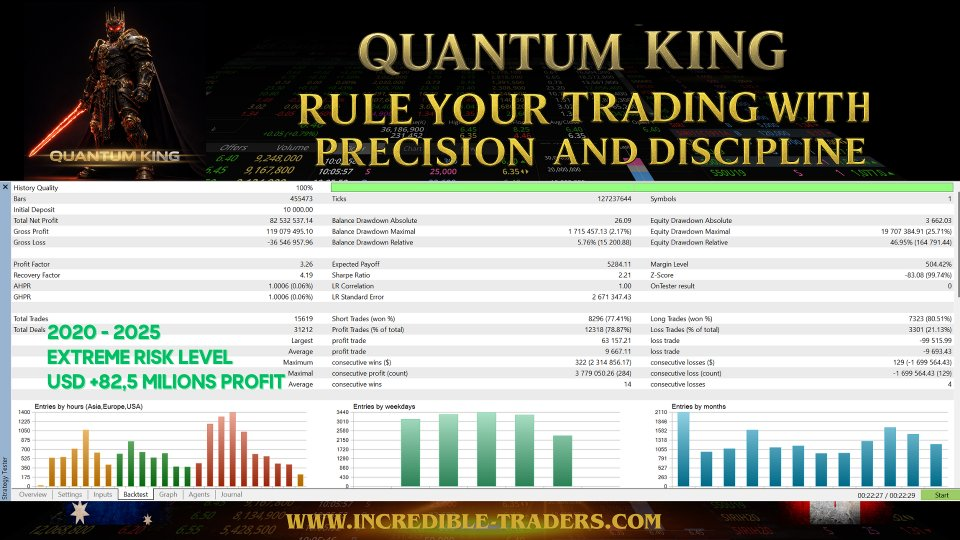
Vendor website: View here
Quantum King MT5 EA Download Access
⬇️⬇️⬇️⬇️⬇️



















TOP 28
FOREX BROKERS
Choose your broker, sign up through an eligible cashback link, trade as usual, and receive rebates according to the offer terms.
80%
Choose from these 28 brokers
 XM
 Elev8
 Exness
 JustMarkets
 HFM
 TMGM
 Valetax
 Headway
 Markets4you
 RoboForex
 Vantage Markets
 IC (IC Markets)
 FxPro
 Tickmill
 FP Markets
 Weltrade
 Axi
 Ultima Markets
 TitanFX
 Harmovest Capital
 FP Trading
 VT Markets
 MTrading
 FXTM
 FIBO Group
 Windsor Brokers
 GO Markets
 FXPrimus
How to get cashback
Select one of the brokers above and check its available cashback offer.
Open an account using the eligible cashback or partner link.
Trade in an eligible account and follow the offer's rules.
Get eligible rebates based on the program's payout method and schedule.
*“Up to 80%” is a maximum promotional claim, not a guaranteed cashback rate. Actual rebates, supported countries, account types, trade eligibility and payout terms vary. Broker cards use the ForexInWorld cashback link; check the offer terms and account eligibility before signing up. Forex/CFD trading involves substantial risk.