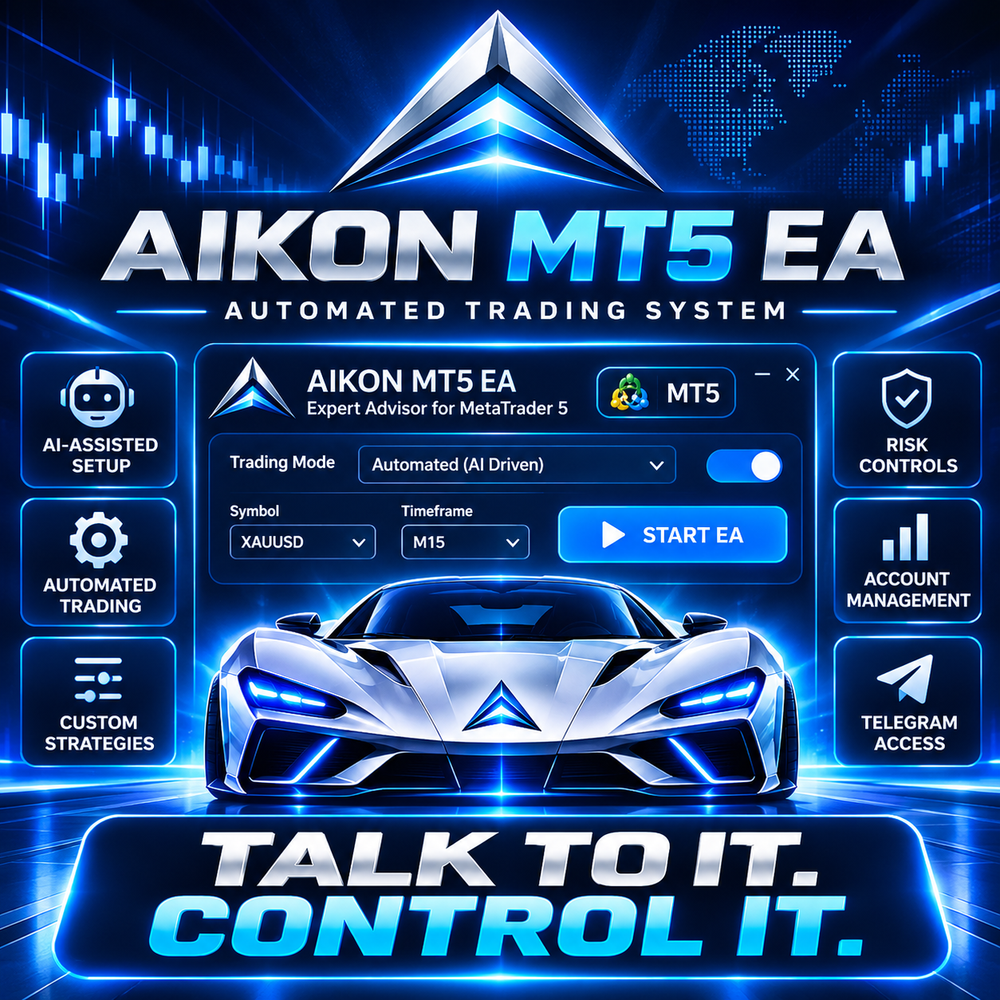
Traders looking to automate their forex and gold strategies can access Aikon MT5 EA through the official MetaTrader marketplace. The Expert Advisor combines automated trade management with AI-assisted configuration, allowing users to set trading rules, review account exposure and manage certain operations through conversational commands. However, downloading the software is only the first step: traders also need to understand its costs, technical requirements and financial risks before connecting it to a live brokerage account.
Where to Download Aikon MT5 EA Safely
The official listing is available on the MQL5 Market. The product is listed as Aikon MT5, an Expert Advisor designed specifically for MetaTrader 5.
Get This Trading BOT on Telegram
Want to Download this Trading BOT? Connect with Forex In World directly on Telegram to enquire about this product, get more details, and Download link.
Ready to Get Started? Contact us on Telegram now!
CONTACT US ON TELEGRAM


The distinction between a legitimate product listing and an unofficial download site is important. Third-party websites may advertise inexpensive copies, promotional downloads or older versions, but those offers should not automatically be treated as authorized or equivalent to the official product.
Aikon’s marketplace listing identifies the developer as William Brandon Autry. As with any trading software, users should verify the seller, licensing terms and update arrangements before making a payment.
Aikon MT5 EA Price and Available Version
The MQL5 Market listing displayed the following product information when checked on October 11, 2026. Prices and version details may change, so prospective buyers should confirm them directly on the marketplace.
| Product detail | Listed information |
|---|---|
| Software name | Aikon MT5 |
| Platform | MetaTrader 5 |
| Latest listed version | 8.26 |
| Last listed update | September 22, 2026 |
| Displayed price | $1,097.97 |
| Demo downloads | 1,775 |
The listing also describes a staged pricing system in which the displayed price can increase after a limited allocation of purchases is sold. The amount shown should therefore be treated as a time-specific listing price, not a permanent price guarantee.
What Makes Aikon Different From a Traditional Trading Robot?
Aikon combines automated trading functions with an interface that lets users communicate with their trading system using natural-language instructions. According to its product description, the software can analyse markets, open trades and manage positions according to configured rules.
Its main features include:
- Forex and gold profiles: Ready-made configurations for single-entry forex trading and gold trading, with configured stop-loss and take-profit behaviour.
- AI-assisted configuration: Users can ask questions about settings, account exposure and trading activity, then review proposed operational changes.
- Telegram connectivity: Supported functionality allows users to check portfolio information and prepare changes through a paired Telegram connection.
- Capital controls: Operating-capital limits and reserve-allocation features help define how much capital the system is permitted to use.
- Optional recovery mode: An alternative trading approach can add and manage positions under configured recovery rules.
These are advertised capabilities, not evidence that the software will generate consistent returns. Results depend on the strategy, configuration, market conditions, execution costs and risk limits selected by the user.
How to Install Aikon on MetaTrader 5
The official marketplace is the appropriate starting point for obtaining the licensed product. Once purchased or downloaded through the available marketplace process, users should follow the supplied installation and configuration instructions.
For a conventional Expert Advisor file, the general MT5 installation process is:
- Install and open MetaTrader 5 on a compatible desktop or laptop.
- Download the EA through its authorized source.
- Open File → Open Data Folder in MT5.
- Navigate to
MQL5 → Expertsif the product is supplied as a standard EA file. - Follow the developer’s instructions, refresh or restart MT5, and locate the EA in the Navigator panel.
- Configure the required permissions, risk settings and any external services before enabling automated trading.
Aikon has additional connectivity requirements, so its setup may involve more than copying a file. Its documentation states that AI functions require internet access and configured AI-provider credentials. Separate provider or API charges may apply. Automated operation and ongoing monitoring require MT5 to remain running and connected.
Important Risks Before Downloading
An Expert Advisor can execute trades without the trader manually approving every routine entry. That convenience also means an unsuitable configuration can expose an account to rapid losses.
Before using Aikon with real money, traders should check the following:
- Test the available functions and configuration on a demo account.
- Set position sizes and stop-loss rules appropriate to the account balance.
- Review maximum exposure, drawdown and recovery behaviour.
- Account for spreads, commissions, slippage and possible API expenses.
- Confirm that the broker’s account type supports the intended trading mode.
The MetaTrader Strategy Tester can help examine supported mechanical trading behaviour, but Aikon’s developer notes that the tester cannot reproduce its complete live AI, web-research and Telegram-connected workflow. A successful mechanical backtest therefore does not establish how the full system will perform in live markets.
Frequently Asked Questions
1. Where can I download Aikon MT5 EA?
Use the official Aikon MT5 product listing on MQL5 Market to check the available download and purchase options.
2. Is Aikon MT5 EA free?
The product listing displays a purchase price and a demo-download count. Check the official listing for current demo access and licensing terms rather than assuming the complete version is free.
3. Does Aikon support XAUUSD gold trading?
Yes. Its listed features include a gold single-entry profile with configurable exits. Actual trading behaviour depends on the selected settings and broker conditions.
4. Can Aikon trade automatically?
Yes. Once configured and enabled, the EA can open and manage trades within its permitted rules. Automated operation requires a running, connected MT5 terminal.
5. Can I control Aikon through Telegram?
The product describes a paired Telegram interface for account monitoring and preparing operational changes. Availability depends on completing the required setup.
6. Does Aikon guarantee profits?
No. Neither its AI functions nor its automated execution guarantee profitable trading. Losses remain possible, including when stop-losses and capital controls are configured.
7. Can I run Aikon on a live account immediately?
Technical access may be possible after configuration, but testing the setup on a demo account first is a prudent way to identify configuration problems before risking real money.
For traders considering Aikon MT5 EA, the essential first step is to verify the official listing, understand the total software and connectivity costs, and test the intended strategy before allowing it to manage live capital.
Vendor website: View here
Quantum Queen X MT5 EA Download link inside
⬇️⬇️⬇️⬇️⬇️


We are available on the following Websites.
 ENGLISH
 GERMAN (Deutsch)
 FRENCH (Français)
 SPANISH (Español)
 ARABIC (العربية)
 JAPANESE (日本語)
 CHINESE (中文)